

Server Configuration tab
Available in v2.1.0+. Open Server Configuration in the SQL Editor web UI, served
with --web-ui, or in the desktop SQL workspace. Sign in as an
unrestricted administrator. Instrumentation is not required. Tenant administrators,
regular users and administrator tokens limited by catalog_access cannot view or edit
these settings; the server enforces this permission.
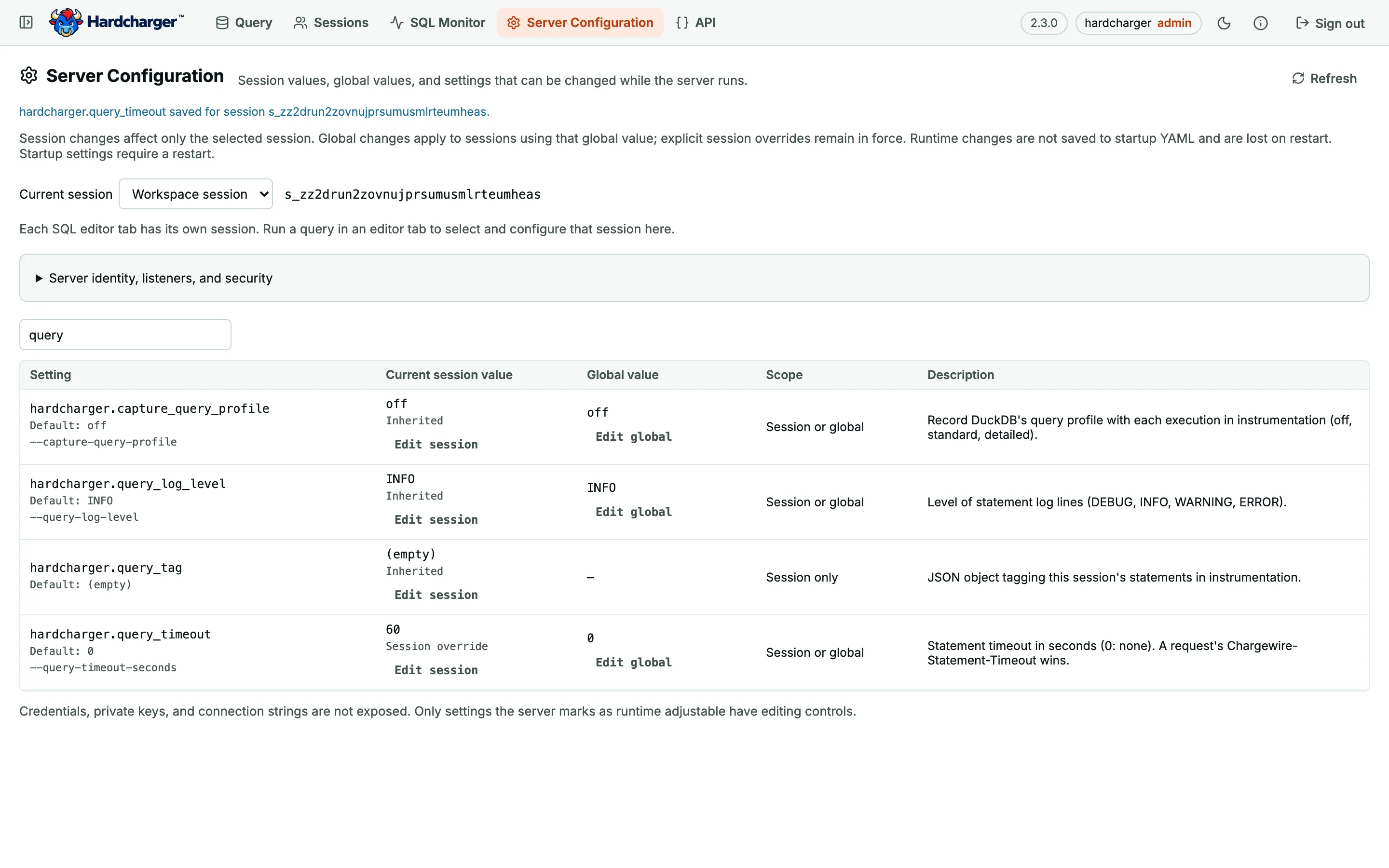
/ui/configuration shows the selected session’s effective value, explicit override
versus inheritance, global value, documented default, allowed scopes, startup flag and
description. Select the active editor’s session or the workspace session; the session ID
is always visible. Each editor tab owns a separate session. A tab becomes available here
after its first query opens that session.
Edit session changes only that session. Edit global changes the server-wide value used by sessions without an explicit override. Reset session override restores inheritance; Reset to startup value restores the server’s configured startup value, which may differ from the built-in default. Only supported runtime scopes have editing controls. Startup settings remain read-only and need a restart. Runtime changes are not written to YAML and are lost on restart. Credentials, private keys and secret-bearing connection strings are not included; this is not a full YAML configuration export.
Session reads and edits use hardcharger_session_settings(session_id),
hardcharger_set_session_setting(session_id, name, value) and
hardcharger_reset_session_setting(session_id, name). These require an unrestricted
administrator and reuse the server’s setting validators. They access the target’s locked
settings directly, without issuing SQL inside its transaction or waiting behind its active
or queued statement. Mutation functions are volatile and do not act during PREPARE or
EXPLAIN. Global changes use existing SET GLOBAL and RESET GLOBAL on the observer
connection. Both caller and target are recorded in the session-change audit log.
For persistent startup changes, edit your YAML, environment or flags, or save options in the desktop app’s Settings screen, then restart. The web tab does not export or import a complete YAML configuration. Monitor active work and cancel or end sessions with SQL Monitor.
Additional startup settings in 2.9.0
Section titled “Additional startup settings in 2.9.0”The configuration table and hardcharger_settings() expose these startup-only settings:
- Result controls:
max_result_partitions,result_batch_rows,result_retention_seconds. - Starting context:
default_catalog,default_schema. - Listeners:
host,port,health_port,metrics_port,metrics_bind_address. - Features and guards:
web_ui,web_ui_remote_servers,block_sensitive_paths,block_unredacted_secrets.
Values describe the loaded configuration; changing them requires a server restart. Starting context, listener and guard settings are administrator-only. Result controls and Web UI flags are also visible to ordinary SQL users. Secret values are not added to the settings inventory.
SELECT name, scope, settableFROM hardcharger_settings()WHERE name IN ('hardcharger.result_batch_rows', 'hardcharger.result_retention_seconds')ORDER BY name;
Built by GizmoData™