

Web UI
Hardcharger™ has a web UI compiled into hardcharger-server. There is nothing extra to install:
the server serves it at /ui on its own port, with its own TLS certificate, and the page
talks Warp SQL back to the same origin. It is off by default.
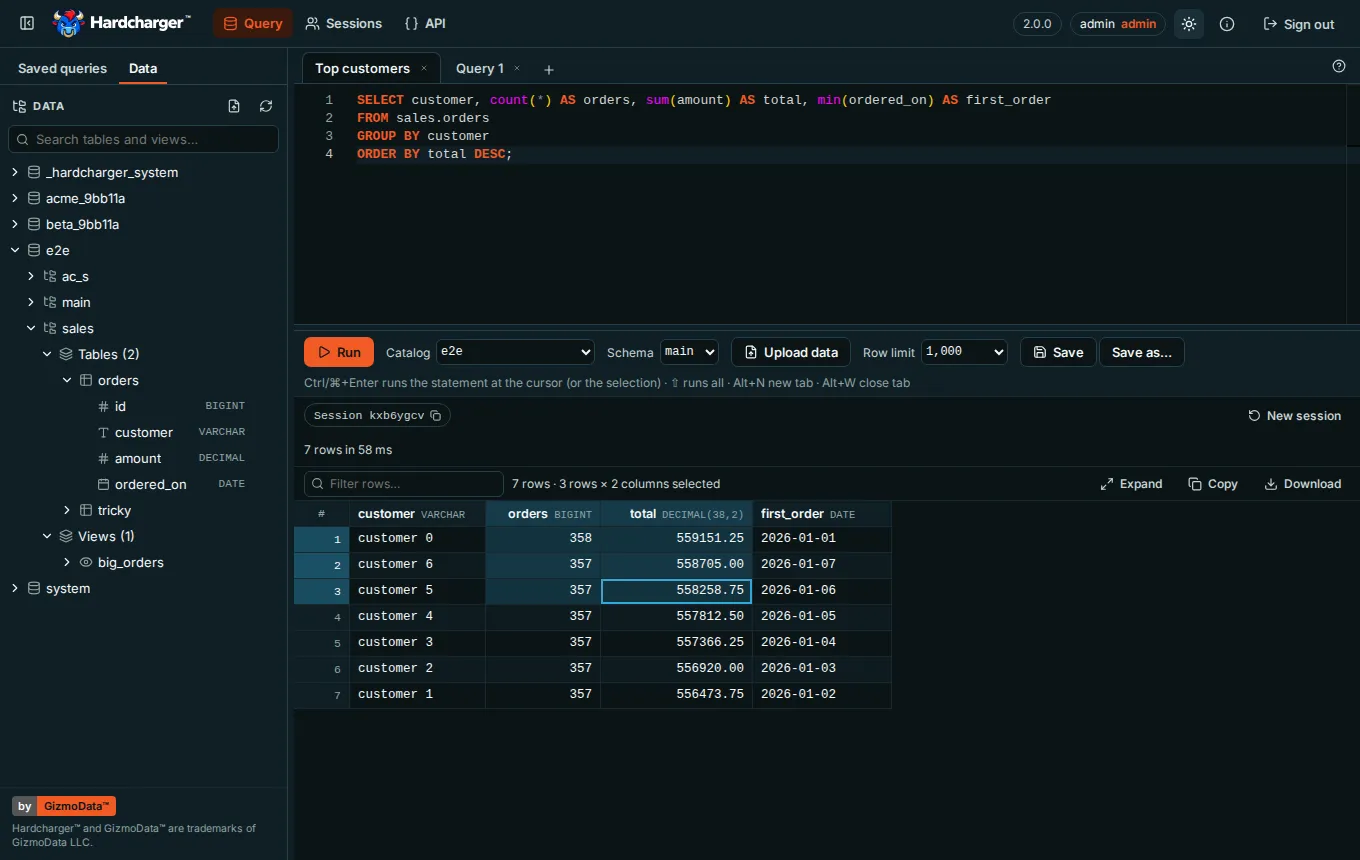
- SQL editor in tabs (up to 20), each with its own server session, so a long query or an open transaction in one tab never touches another. Ctrl/⌘+Enter runs the statement under the cursor (a bar in the margin marks it) or exactly the selection; Shift+Ctrl/⌘+Enter runs them all, with a result tab for each result set and Messages. Cancel stops the statement on the server. An open or failed transaction shows as a badge with Commit and Rollback.
- Results grid for up to a million rows, with DuckDB’s own formatting of every type: sort (NULLs last), filter, resize columns, and select cells like a spreadsheet. Ctrl/⌘+C copies the selection so that a paste into Excel or Google Sheets lands as cells, in every browser, Safari included.
- Schema browser and autocomplete: catalogs, schemas, tables, views and columns with their types, as access control lets the user see them. Double-click or drag a name into the editor, preview a table in a new tab, show a view’s definition, search every table and view by name.
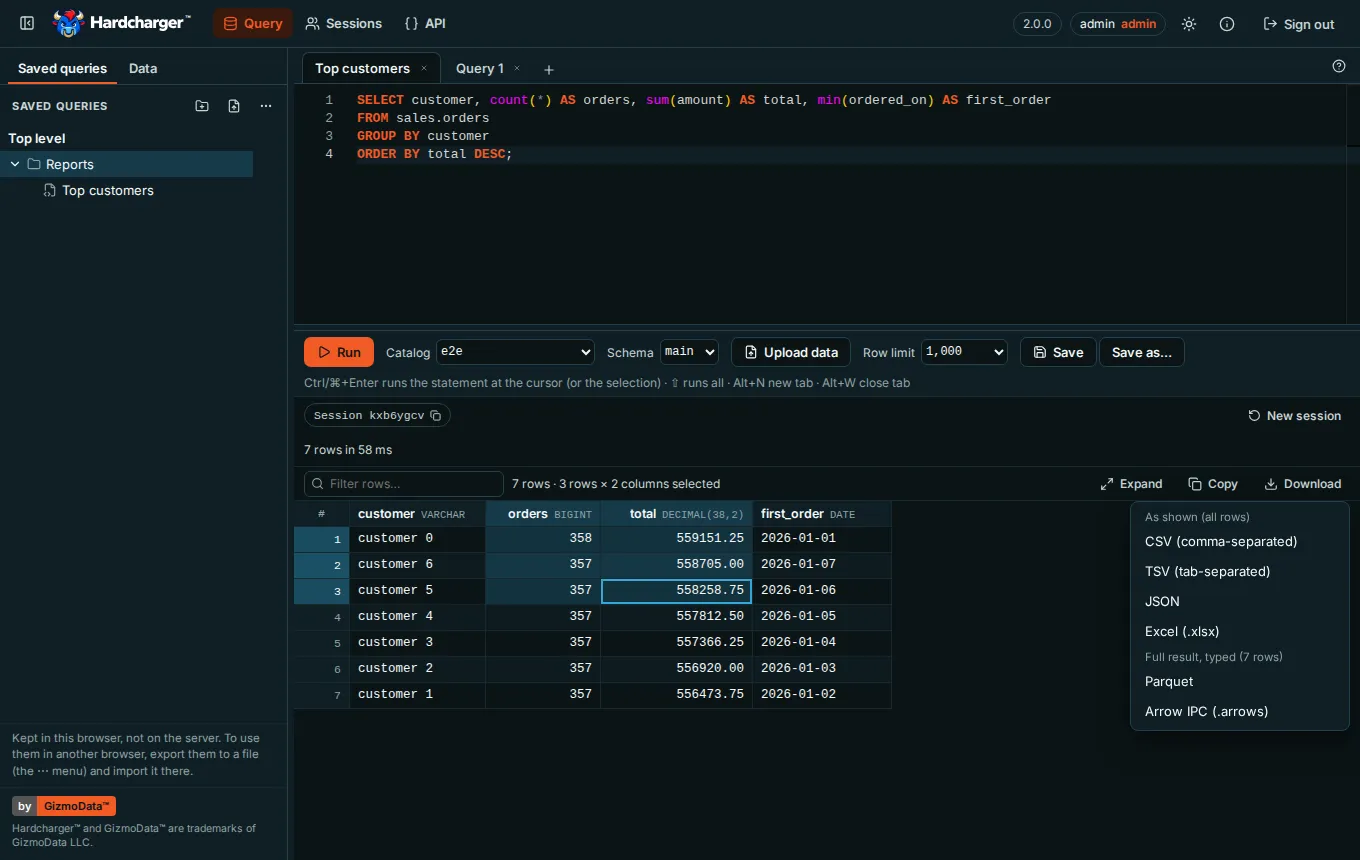
- Saved queries in folders, kept in the browser (see below).
- Run as: under access control, a tab acts with one of the user’s roles, or all of them.
- Downloads: CSV, TSV, JSON and Excel (.xlsx) of the rows as shown, Parquet and Arrow IPC of the whole result with its exact types, all written in the browser.
- Upload data: a CSV, TSV, Excel, Parquet, JSON or Arrow file into a table, read in the browser and sent over bulk ingest (below).
- Sessions: the sessions you may see, and, for an administrator, a button that ends one.
- API: the server’s Warp SQL API in Swagger UI, where Try it out runs requests as you.
- About: the server’s version, protocol and capabilities, and when your sign-in expires. How the editor works (the ? at the end of the tab bar) sums up sessions, transactions, statements and results, with this server’s session idle timeout.
The editor and the side panel resize (drag the bar between them, or focus it and use the arrow keys; double-click for the default size). On a phone-sized screen the side panel sits above the editor and the page scrolls.
Turn it on
Section titled “Turn it on”The option is web_ui: the --web-ui flag, HARDCHARGER_WEB_UI=true, or web_ui: true in
the YAML file, like every other option.
HARDCHARGER_ADMIN_PASSWORD='change-me' hardcharger-server --database my.duckdb --web-ui --health-port 31338HARDCHARGER_WEB_UI=true HARDCHARGER_ADMIN_PASSWORD='change-me' \ hardcharger-server --database my.duckdb --health-port 31338database: my.duckdbhealth_port: 31338web_ui: trueHARDCHARGER_ADMIN_PASSWORD='change-me' hardcharger-server --config hardcharger.yamlOpen http://localhost:31337/ui and sign in as hardcharger / change-me. The server logs
where the UI is when it starts (the web UI is on url=…), and the page answers:
$ curl -s -o /dev/null -w '%{http_code}\n' http://localhost:31337/ui/200Without web_ui, nothing answers under /ui: the server’s usual 404, as for any path that
isn’t Warp SQL.
HARDCHARGER_ADMIN_PASSWORD='change-me' hardcharger-server --database my.duckdb --health-port 31338$ curl -s -o /dev/null -w '%{http_code}\n' http://localhost:31337/ui/404Signing in
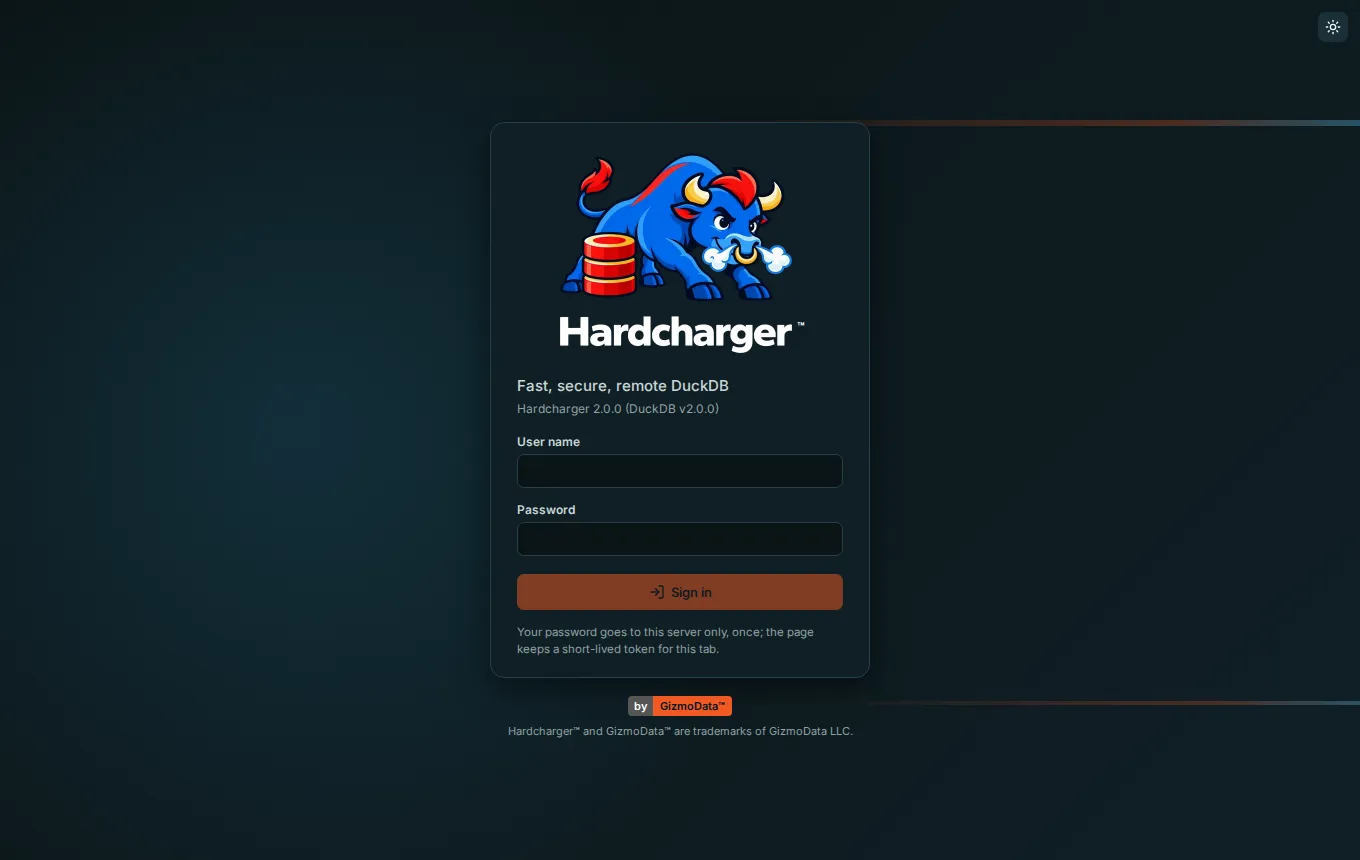
Section titled “Signing in”The sign-in page uses the server’s own sign-in: the user name and password go once to
POST /warp/v1/auth/token, and the page keeps only the short-lived access token, in memory
and in that tab’s session storage (so a reload stays signed in). It never writes a credential
to localStorage or a cookie. When the token expires, or an administrator ends the session
(KILL SESSION), the page goes back to the sign-in form and says why.
With browser sign-in configured (oauth_client_id), the page
also shows Sign in with provider (the server’s oauth_provider_name, or “single sign-on”).
It sends the tab to your identity provider, which sends it back to the UI; the page then collects
its access token with a secret only that tab holds, so the token never appears in a URL. Register
<oauth_base_url>/warp/v1/auth/oauth/callback as the redirect URI with the provider: the UI uses
the same one as every other client.
The API page
Section titled “The API page”API, next to Query and Sessions, shows the server’s own Warp SQL API: every endpoint, with
its parameters, request and response schemas and examples, in Swagger UI.
It reads the OpenAPI 3.1 document the server serves at GET /warp/v1/openapi.json (described
on the Warp SQL page), and like the rest of the UI
it is there only when web_ui is on.
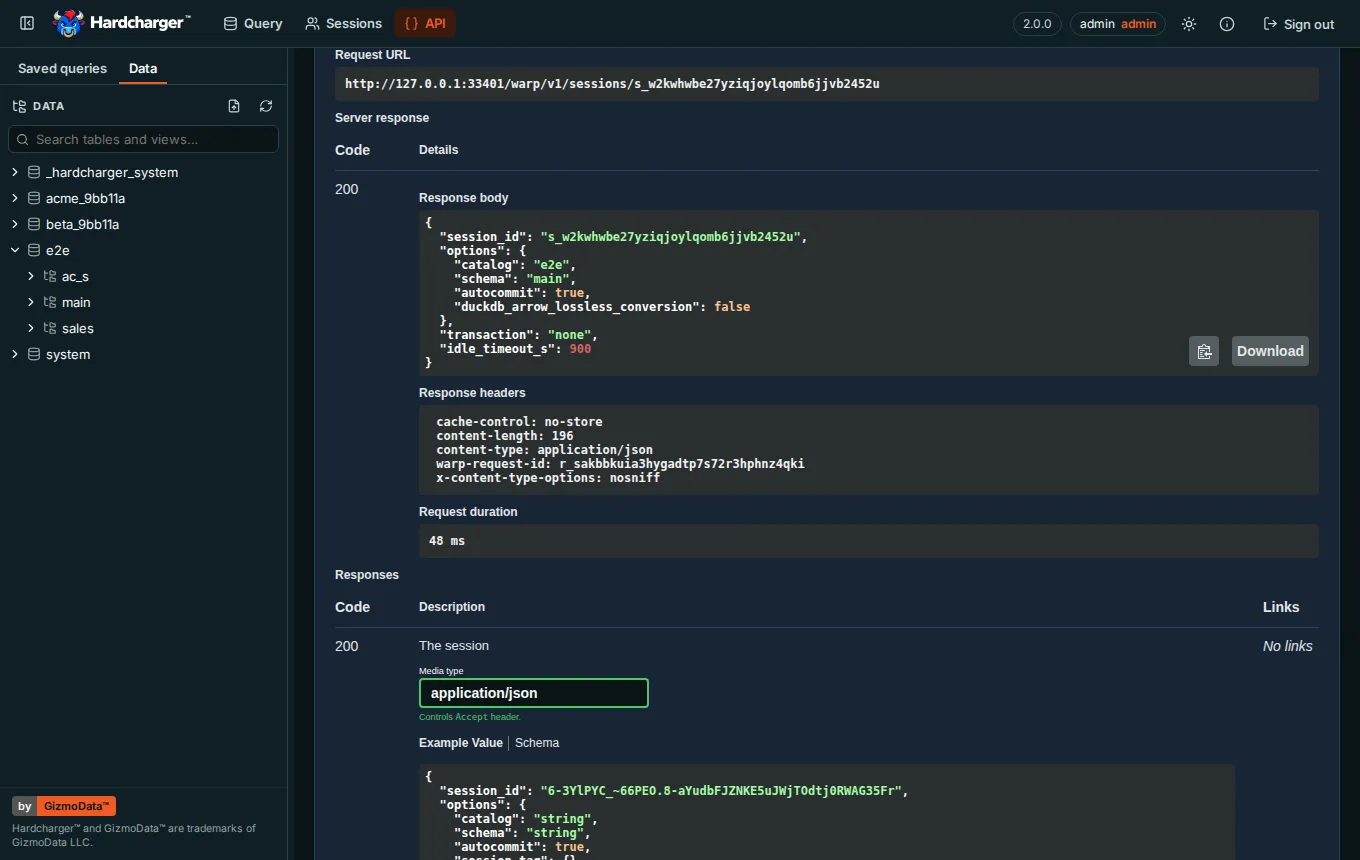
- Try it out runs a request against this server, signed in as you. The page adds your access token to each request as it is sent, so there is no token to paste and no Authorize button. The token goes only to the page’s own origin: a request for anywhere else would go without it (the Content-Security-Policy blocks such requests anyway). It isn’t stored anywhere new, and the Curl command the page shows leaves it out.
- Every request goes to the server that served the page; there is no server picker.
- An answer in Arrow IPC (a result, a metadata listing) comes back as Download file
(
result.arrows), not as bytes printed as text. JSON answers are shown formatted. - Swagger UI is part of the build, so the page works on a server with no Internet access, and it is loaded only when you open the page.
- If the server doesn’t list the document in its discovery answer, the page says so instead.
With TLS
Section titled “With TLS”With --tls-cert and --tls-key, the UI is served over HTTPS with the same
certificate as Warp SQL, at https://<host>:31337/ui. For a quick local try, a self-signed
certificate for localhost is enough (the browser will ask you to accept it):
openssl req -x509 -newkey ec -pkeyopt ec_paramgen_curve:prime256v1 -nodes -days 30 \ -subj /CN=localhost -addext subjectAltName=DNS:localhost -keyout server.key -out server.pemHARDCHARGER_ADMIN_PASSWORD='change-me' hardcharger-server --database my.duckdb --web-ui \ --tls-cert server.pem --tls-key server.key --health-port 31338$ curl -s --cacert server.pem -o /dev/null -w '%{http_code}\n' https://localhost:31337/ui/200With mutual TLS
Section titled “With mutual TLS”Under mutual TLS (--mtls-ca-cert), the server completes a TLS handshake only with a client
that presents a certificate it accepts, and a browser is a client like any other: it must
present such a certificate before it can load /ui at all. Install the certificate and its key
in the browser, or in the system’s keychain or certificate store (most browsers take a PKCS#12
file), and the browser offers it when the page opens.
With certificate sign-in on (--mtls-certificate-sign-in), the sign-in page also shows Sign in with my
certificate: it signs in as the certificate’s identity with no password, and the token it
gets is bound to that certificate. Every request the page makes carries the certificate, so the
bound token works throughout. With --mtls-require-client-cert=false the page loads without a
certificate, and password sign-in works as usual.
A throwaway CA, a server certificate, and a client certificate for ops@example.com (the
identity is the certificate’s e-mail address by default), packed for a browser:
openssl req -x509 -newkey ec -pkeyopt ec_paramgen_curve:P-256 -nodes -days 30 \ -subj "/CN=Example CA" -keyout ca.key -out ca.crtopenssl req -newkey ec -pkeyopt ec_paramgen_curve:P-256 -nodes -subj "/CN=localhost" \ -keyout server.key -out server.csropenssl x509 -req -in server.csr -CA ca.crt -CAkey ca.key -CAcreateserial -days 30 \ -extfile <(printf 'subjectAltName=DNS:localhost,IP:127.0.0.1') -out server.crtopenssl req -newkey ec -pkeyopt ec_paramgen_curve:P-256 -nodes -subj "/CN=Ops" \ -keyout client.key -out client.csropenssl x509 -req -in client.csr -CA ca.crt -CAkey ca.key -CAcreateserial -days 30 \ -extfile <(printf 'extendedKeyUsage=clientAuth\nsubjectAltName=email:ops@example.com') -out client.crt# For the browser: the client certificate and its key in one file.openssl pkcs12 -export -in client.crt -inkey client.key -out client.p12 -passout pass:change-meHARDCHARGER_ADMIN_PASSWORD='change-me' hardcharger-server --database my.duckdb --web-ui \ --tls-cert server.crt --tls-key server.key --mtls-ca-cert ca.crt \ --mtls-certificate-sign-in --mtls-admin-identities ops@example.com --health-port 31338Import client.p12 (password change-me) into the browser and open
https://localhost:31337/ui. Without the certificate, there is no page:
$ curl -s --cacert ca.crt -o /dev/null https://localhost:31337/ui/ || echo "refused at the handshake"refused at the handshake$ curl -s --cacert ca.crt --cert client.crt --key client.key -o /dev/null -w '%{http_code}\n' https://localhost:31337/ui/200Sign in with my certificate makes the same request this does, on the same connection:
$ curl -s --cacert ca.crt --cert client.crt --key client.key -X POST -H 'Content-Type: application/json' \ -d '{"grant_type": "client_certificate"}' https://localhost:31337/warp/v1/auth/token | jq -r .token_typeBearerUpload data
Section titled “Upload data”Upload data loads a file into a table: the button in the query toolbar, the one in the schema browser’s header (or Upload data… on a catalog’s or schema’s menu, which picks that catalog and schema), or a file dropped anywhere on the page. It reads:
| Format | Extensions | Read |
|---|---|---|
| CSV, TSV | .csv .tsv .tab .txt |
as it uploads, any size |
| Excel | .xlsx .xls .xlsb |
whole, up to 100 MB |
| Parquet | .parquet .pq |
as it uploads, row group by row group |
| JSON | .json .ndjson .jsonl |
JSON lines as it uploads; a JSON array whole, up to 100 MB |
| Arrow IPC | .arrows .arrow .feather .ipc |
a stream as it uploads; a file whole, up to 1 GB |
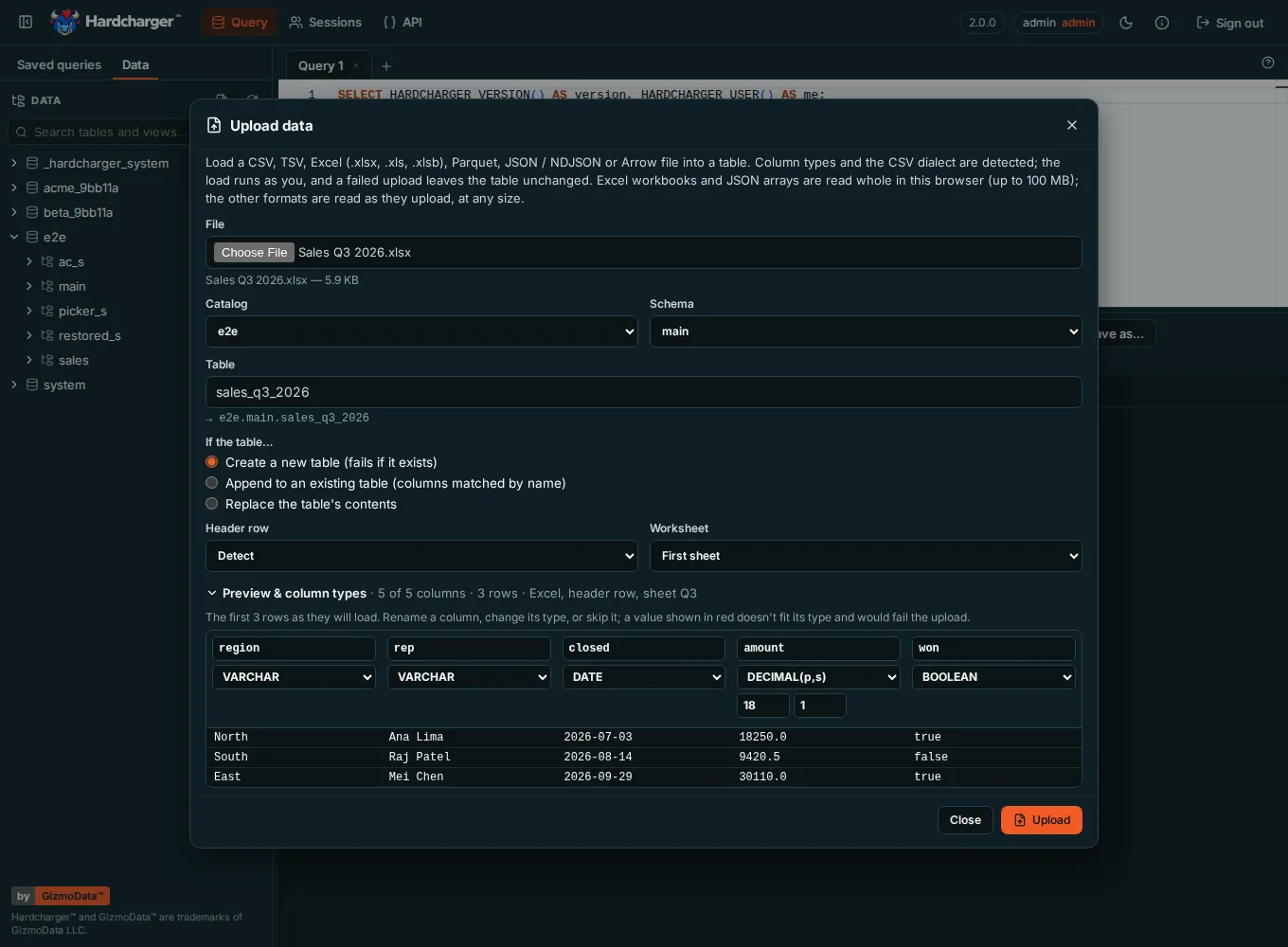
The dialog asks for the Catalog and Schema (or New schema…), the Table (named
after the file: Sales Q3 2026.xlsx becomes sales_q3_2026), and what to do If the table…:
- Create a new table (fails if it exists).
- Append to an existing table (columns matched by name): the file’s columns go into the
table’s columns of the same name, in any case and any order. A table column the file lacks
gets
NULL; a file column the table lacks stops the upload before it starts (rename or skip it). Each value is converted to its column’s type; one that can’t be fails the upload. - Replace the table’s contents: the table takes the file’s columns and rows.
For CSV it detects the Header row and the Delimiter (comma, semicolon, tab or |; type
another of up to four characters, or \t for a tab), quotes and line breaks inside quotes. The
text is read as UTF-8, or UTF-16 with a byte order mark; a file that is neither is read as
Windows-1252, and the dialog says so. For Excel, pick the Worksheet (the first by default)
and the Header row. Dates and times come from the cells’ number formats, in the workbook’s
own date system (1900, or 1904 for old Mac workbooks); a formula loads the value Excel saved
with it (nothing is calculated, and no macro runs); error cells (#N/A, #DIV/0!) are NULL;
empty rows are left out; a merged range’s value is in its first cell. A number stored as text
stays text, so 00123 keeps its zeros.
Preview & column types, folded away until you open it, shows the first 100 rows as they will load, and each column’s type, inferred from the first 20,480 rows: change it (VARCHAR, BIGINT, DOUBLE, DECIMAL(p,s), BOOLEAN, DATE, TIMESTAMP, TIMESTAMPTZ, TIME), rename the column, or skip it. A value that wouldn’t fit its type is shown in red. Parquet and Arrow columns keep the file’s own types.
The upload runs as you, with the editor tab’s Run as role, in a session of its own and
one transaction: the file goes to the server in pieces of a few megabytes, one
bulk-ingest request each, in the file’s order, and nobody sees the rows
until it commits. Cancel upload, a value that doesn’t convert, or a refusal from the server
rolls everything back and leaves the table as it was. The server never stores the file: the
browser reads it (in a Web Worker, so even a large or malformed file can’t freeze the page) and
sends Arrow. Errors say where: Cell C12, column "amount": "n/a" is not a whole number, or
Line 1,234 has 5 fields, but the file's first line has 4. With access control, uploading
needs the same privileges as SQL: CREATE on the schema for a new table, INSERT on the table
to append, and row policies apply. A refusal is shown as
the server words it.
When it’s done, the dialog says how many rows went in, the mode, the format and how long it
took, and lists the table’s columns; Query this table opens a tab with
SELECT * FROM … LIMIT 100, and the schema browser shows the table.
Excel workbooks are read with SheetJS Community Edition (Apache-2.0), part of the UI’s build like everything else on the page, and loaded only when a file is read.
Content-Security-Policy
Section titled “Content-Security-Policy”Every answer under /ui carries a strict Content-Security-Policy and the usual security
headers. Nothing loads from another origin: the scripts, the editor’s and the upload’s
workers, the styles, the fonts (Inter is part of the build) and the Parquet reader’s and
writer’s WebAssembly are all files under /ui/, and the page talks only to its own origin.
HARDCHARGER_ADMIN_PASSWORD='change-me' hardcharger-server --database my.duckdb --web-ui --health-port 31338$ curl -sI http://localhost:31337/ui/ | grep -i -e '^content-security-policy' -e '^x-frame-options' -e '^x-content-type-options' -e '^referrer-policy' -e '^cross-origin'Content-Security-Policy: default-src 'self'; script-src 'self' 'wasm-unsafe-eval'; worker-src 'self'; style-src 'self' 'unsafe-inline'; img-src 'self' data:; font-src 'self'; connect-src 'self'; object-src 'none'; base-uri 'none'; form-action 'self'; frame-ancestors 'none'X-Content-Type-Options: nosniffReferrer-Policy: no-referrerX-Frame-Options: DENYCross-Origin-Opener-Policy: same-originCross-Origin-Resource-Policy: same-originWhat the policy allows beyond 'self', and why:
| Directive | Why |
|---|---|
script-src 'wasm-unsafe-eval' |
The Parquet export and Parquet uploads compile WebAssembly. It allows WebAssembly only, never eval of JavaScript. |
style-src 'unsafe-inline' |
The editor sets styles at run time (<style> elements and style attributes), and so does Swagger UI on the API page (style attributes). |
img-src data: |
Two small images in the editor’s stylesheet, and the icons in Swagger UI’s stylesheet. |
The page can’t be framed (frame-ancestors 'none', X-Frame-Options: DENY). If a proxy in
front of Hardcharger adds a policy of its own, browsers apply both, so it must allow at least
this much, or parts of the page stop working.
Sessions and transactions
Section titled “Sessions and transactions”Each editor tab has its own Warp SQL session, kept from one run to the next: temporary tables,
USE and SET carry over, and a BEGIN stays open across runs until COMMIT or ROLLBACK.
New session ends a tab’s session (rolling back an open transaction), and so does closing
the tab. The tab’s session chip shows the session’s id, the one the server’s log lines and
KILL SESSION use.
The server ends a session that has been idle for session_idle_timeout seconds (15 minutes by
default; --session-idle-timeout, HARDCHARGER_SESSION_IDLE_TIMEOUT, or the YAML key). The page
reads it from the session document (idle_timeout_s) and How the editor works names it. When
a tab’s session has ended, its next run starts a new session and says so; if a transaction was
open, that run is refused instead, with a message that the transaction was rolled back, and
nothing from it executes. Run it again to go on in a new session.
HARDCHARGER_ADMIN_PASSWORD='change-me' hardcharger-server --database my.duckdb --web-ui \ --session-idle-timeout 3600 --health-port 31338$ H='Content-Type: application/json'$ TOKEN=$(curl -s localhost:31337/warp/v1/auth/token -H "$H" \ -d '{"grant_type": "password", "username": "hardcharger", "password": "change-me"}' | jq -r .access_token)$ curl -s localhost:31337/warp/v1/sessions -H "Authorization: Bearer $TOKEN" -H "$H" -d '{}' | jq .idle_timeout_s3600What stays in the browser
Section titled “What stays in the browser”The page stores nothing on the server. What it keeps, it keeps in the browser, for that server’s address:
| What | Where | For |
|---|---|---|
| The access token | the tab’s session storage | that tab, until it closes or you sign out |
| Saved queries | IndexedDB | each user of the server |
| Open tabs, their text, catalog, schema and row limit | local storage | each user of the server |
| The theme, the sizes of the side panel and the editor, whether the panel is hidden and which of its tabs shows, the phone-screen note dismissed | local storage | everyone using that browser |
Saved queries don’t follow you to another browser or computer, and clearing the site’s data removes them. To move them, use Export all to a file in the Saved queries panel’s … menu, and Import from a file in the other browser. In a private window, or with site data blocked, the panel says it can’t keep saved queries, and everything else works.
What access control shows
Section titled “What access control shows”The page shows each user what the server lets that user see, because every list in it comes from the server, as that user. With access control on:
- The schema browser lists only the catalogs, schemas, tables, views and columns the user’s roles have a privilege on. What a user can’t see isn’t there, not even its name. With catalog access rules, a tenant’s users see their catalog only.
- Run as: a tab can act with one of the user’s roles (
SET ROLE) or All my roles, and the schema browser and autocomplete then list what that role sees. It is locked while a transaction is open. An administrator, who holds every right already, has no picker. - Queries run as the user, so a statement the user’s grants don’t allow fails with the server’s message, and row policies and masking apply to every result and export.
- Sessions: an administrator sees every session and can end one (
KILL SESSION); everyone else sees their own. A user whose sessions an administrator ends is sent back to sign in.
The page has no permissions of its own to configure: grant and revoke as usual, and the next refresh of the schema browser shows the change.

Built by GizmoData™